Difference between revisions of "Ponysuit"
m |
m |
||
| Line 75: | Line 75: | ||
<h2><p style="text-align:center; color: #fe5656;font-size: 40px">1.7 Mesh body & alpha</p></h2> | <h2><p style="text-align:center; color: #fe5656;font-size: 40px">1.7 Mesh body & alpha</p></h2> | ||
<p>This product is fully mesh and since it covers all your bosy from neck to toe, there is no need to add complexity by wearing your favorite mesh body. But to hide the system body be sure you wear the [PFS] Ponysuit alpha layer.</br> | <p>This product is fully mesh and since it covers all your bosy from neck to toe, there is no need to add complexity by wearing your favorite mesh body. But to hide the system body be sure you wear the [PFS] Ponysuit alpha layer.</br> | ||
| + | <br><hr><br> | ||
| + | <!--=====================================================--> | ||
| + | <!--1.8 Inrtegrated animations | ||
| + | <!--=====================================================--> | ||
| + | <h2><p style="text-align:center; color: #fe5656;font-size: 40px">1.8 Integrated animations</p></h2> | ||
| + | <p>The ponysuit uses several animations depending on the wrists and ankles binding positions. Be sure you don't wear any AO interfering with them or you may experience weird results.</br> | ||
<br><hr><br> | <br><hr><br> | ||
<!--=====================================================--> | <!--=====================================================--> | ||
| Line 184: | Line 190: | ||
[[File:Ponysuit menu rlv list.png|center]]<br> | [[File:Ponysuit menu rlv list.png|center]]<br> | ||
<br><hr> | <br><hr> | ||
| + | <!--=====================================================--> | ||
| + | <!--2.5 Timer menu --> | ||
| + | <!--=====================================================--> | ||
| + | <h2><p style="text-align:center; color: #fe5656;font-size: 40px">2.5 Timer menu</p></h2> | ||
| + | <p><span style="color: #ffdd33">NOTE:</span> When the timer runs out, the key is given back to the user. No one will be able to grab it except if some extern access modes are set.</p> | ||
| + | <p>The timer can be RL or SL time, you can switch from one to another w/o resetting the time left. Wearer can set a timer and do some self-bondage, once started the timer cannot be stopped except if someone else grab the key and get the keyholder access level.</p> | ||
| + | <gallery mode="slideshow"> | ||
| + | Image:Ponysuit menu timer1.png | ||
| + | Image:Ponysuit menu timer2.png | ||
| + | </gallery> | ||
| + | <p><span style="color: #00ff00">❌ BACK ❌</span> – Move back to the previous menu.<br> | ||
| + | <span style="color: #00ff00">⏪</span> - Move back to the previous page.<br> | ||
| + | <span style="color: #00ff00">⏩</span> - Move forward to the next page.<br> | ||
| + | <span style="color: #00ff00">❓ HELP ❓</span> – Streams the help into the chat window.<br> | ||
| + | <span style="color: #00ff00">stop</span> - Stop the actual timer but don't give back the key back to the user.<br> | ||
| + | <span style="color: #00ff00">RLtime ❌</span> – SL time mode.<br> | ||
| + | <span style="color: #00ff00">RLtime ✅</span> – RL time mode.<br> | ||
| + | <span style="color: #00ff00">hide ✅</span> – The actual timer value and any added time triggered by the menu buttons are hided to the wearer.<br> | ||
| + | <span style="color: #00ff00">+2min</span> – Add 2 minutes to the actual timer value.<br> | ||
| + | <span style="color: #00ff00">+5min</span> – Add 5 minutes to the actual timer value.<br> | ||
| + | <span style="color: #00ff00">+30min</span> – Add 30 minutes to the actual timer value.<br> | ||
| + | <span style="color: #00ff00">+1h</span> – Add 1 hour to the actual timer value.<br> | ||
| + | <span style="color: #00ff00">+3h</span> – Add 3 hours to the actual timer value.<br> | ||
| + | <span style="color: #00ff00">+6h</span> – Add 6 hours to the actual timer value.<br> | ||
| + | <span style="color: #00ff00">+12h</span> – Add 12 hours to the actual timer value.<br> | ||
| + | <span style="color: #00ff00">+24h</span> – Add 24 hours to the actual timer value.<br></p> | ||
| + | <br><hr> | ||
| + | <!--=====================================================--> | ||
| + | <!--2.6 Ankle menu --> | ||
| + | <!--=====================================================--> | ||
| + | <h2><p style="text-align:center; color: #fe5656;font-size: 40px">2.6 Ankle menu</p></h2> | ||
| + | <p>From this menu you can select different binding poses.</p> | ||
| + | [[File:Ponysuit menu wrist.png|center]]<br> | ||
| + | <p><span style="color: #00ff00">❓ HELP ❓</span> – Streams the help into the chat window.<br> | ||
| + | <span style="color: #00ff00">❌ BACK ❌</span> – Move back to the previous menu.<br> | ||
| + | <span style="color: #00ff00">⏏ EXIT ⏏</span> – Close the actual menu and release the menu access to anyone.<br> | ||
| + | <span style="color: #00ff00">lock ✅</span> – Default position when the ponysuit is locked and the ankles are not bound.<br> | ||
| + | <span style="color: #00ff00">taut ✅</span> – Ankles are connected with a straps, slow walk is enabbled, 'fly', 'alwaysrun', 'sittp' are restricted and temp run is limited in time and force.<br> | ||
| + | <span style="color: #00ff00">tight ✅</span> – Ankles are connected together in a tight way, slow walk is enabbled, 'fly', 'alwaysrun', 'sittp' are restricted and temp run is limited in time and force.<br> | ||
| + | <span style="color: #00ff00">hogtie ✅</span> – Ankles are connected together in a tight way and the legs are bent back, slow walk is enabbled, 'fly', 'alwaysrun', 'sittp' are restricted and temp run is limited in time and force.<br> | ||
| + | <span style="color: #00ff00">kneel ✅</span> – Kneel position, slow walk is enabbled, 'fly', 'alwaysrun', 'sittp' are restricted and temp run is limited in time and force.<br> | ||
| + | <br> | ||
| + | <gallery mode="slideshow"> | ||
| + | Image:Ponysuit taut.png|taut | ||
| + | Image:Ponysuit tight.png|tight | ||
| + | Image:Ponysuit hogtie.png|hogtie | ||
| + | Image:Ponysuit kneel.png|kneel | ||
| + | </gallery> | ||
| + | <br><hr> | ||
| + | <!--=====================================================--> | ||
| + | <!--2.7 Wrist menu --> | ||
| + | <!--=====================================================--> | ||
| + | <h2><p style="text-align:center; color: #fe5656;font-size: 40px">2.7 Wrist menu</p></h2> | ||
| + | <p>From this menu you can select different binding poses.</p> | ||
| + | <gallery mode="slideshow"> | ||
| + | Image:Ponysuit menu wrist1.png | ||
| + | Image:Ponysuit menu wrist2.png | ||
| + | </gallery> | ||
| + | <p><span style="color: #00ff00">❓ HELP ❓</span> – Streams the help into the chat window.<br> | ||
| + | <span style="color: #00ff00">❌ BACK ❌</span> – Move back to the previous menu.<br> | ||
| + | <span style="color: #00ff00">⏏ EXIT ⏏</span> – Close the actual menu and release the menu access to anyone.<br> | ||
| + | <span style="color: #00ff00">lock ✅</span> – Default position when the ponysuit is locked and the wrists are not bound.<br> | ||
| + | <span style="color: #00ff00">back ✅</span> – Wrists are locked on the back and a strap pull them together.<br> | ||
| + | <span style="color: #00ff00">binder ✅</span> – Wrists are forced into a tight armbinder.<br> | ||
| + | <span style="color: #00ff00">clear ✅</span> – Clear all RLV restrictions set by this menu (✅=all RLV restrictions disabled).<br> | ||
| + | <span style="color: #00ff00">far ❌</span> – Unable to touch/grab objects from more than 1.5 m away.<br> | ||
| + | <span style="color: #00ff00">all ❌</span> – unable to touch/grab any object and attachment. This does not apply to HUDs.<br> | ||
| + | <span style="color: #00ff00">world ❌</span> – Unable to touch/grab objects rezzed in-world, i.e. not attachments and HUDs.<br> | ||
| + | <span style="color: #00ff00">attach ❌</span> – Unable to touch attachments (theirs and other avatars'), but this does not apply to HUDs.<br> | ||
| + | <span style="color: #00ff00">other ❌</span> – Unable to touch other people's attachments (but can touch theirs own). This does not apply to HUDs.<br> | ||
| + | <span style="color: #00ff00">hud ❌</span> – Unable to touch any HUDs.<br> | ||
| + | <span style="color: #00ff00">intrct ❌</span> – Unable to touch any objects, attachments, or HUDs, cannot edit or rez, and cannot sit on objects.<br> | ||
| + | <br> | ||
| + | <gallery mode="slideshow"> | ||
| + | Image:Ponysuit menu wrist back.png|back | ||
| + | Image:Ponysuit menu wrist binder.png|binder | ||
| + | </gallery> | ||
| + | <br><hr> | ||
| + | <!--=====================================================--> | ||
| + | <!--2.8 Leash menu --> | ||
| + | <!--=====================================================--> | ||
| + | <h2><p style="text-align:center; color: #fe5656;font-size: 40px">2.8 Leash menu</p></h2> | ||
| + | <p>If you use the smart leash holder available from the [tools] button from leash menu, you can make the user following you when leashed even through TP. As soon as the distance between the leash holder and the wearer is greater than 2 times the leash distance a TP is send to the user. | ||
| + | If the leash holder is not detected in the same region, a leash timeout is triggered after 300s and the user will be unleashed.</p> | ||
| + | [[File:Ponysuit menu leash post.png|center]]<br> | ||
| + | <p><span style="color: #00ff00">❓ HELP ❓</span> – Streams the help into the chat window.<br> | ||
| + | <span style="color: #00ff00">❌ BACK ❌</span> – Move back to the previous menu.<br> | ||
| + | <span style="color: #00ff00">⏏ EXIT ⏏</span> – Close the actual menu and release the menu access to anyone.<br> | ||
| + | <span style="color: #00ff00">tools</span> – Get the smart leash holder.<br> | ||
| + | <span style="color: #00ff00">leash ✅</span> – Grab the leash in your hand (✅=leash to person active).<br> | ||
| + | <span style="color: #00ff00">post ✅</span> – Leash to an object (✅=leash to post active).<br> | ||
| + | <span style="color: #00ff00">length Ym</span> – Sub-menu to select the leash length (Y=actual leash length).<br> | ||
| + | <span style="color: #00ff00">unleash</span> – Disconnect the leash from your hand or post.<br> | ||
| + | <span style="color: #00ff00">yank</span> – Yank the leash to make the user moving up to the leash target the distance is less than 1m.<br> | ||
| + | <span style="color: #00ff00">type [Z]</span> – Select leash type chain (c) or rope (r).<br> | ||
| + | <span style="color: #00ff00">public ✅/❌</span> – When enabled, anyone can use the leash even if the public access is disabled. You can't rip the leash from someone already holding it!<br></p> | ||
| + | <br> | ||
| + | <p><span style="color: #ffdd33">NOTE:</span> Leash feature is disabled if the nipples rings are hidden!</p> | ||
| + | <br> | ||
| + | [[File:Ponysuit leash exemple.png|center]]<br><hr> | ||
Revision as of 15:19, 4 December 2024

[PFS] Ponysuit v1
The [PFS] Ponysuit is an mesh bondage gear, it can be used in many ways and in many disciplines, up to you to choose it. You will be able to:
- lock/unlock with RLV or RLVa
- Access mode: private, public, public ask, owner, group or PFS
- Bind the wrists in an armbinder or cuffed on the back
- Bind the ankles in four positions: taut, tight, hogtie and kneel
- Inovative slow walk when the ankles are bound
- Inovative temp run when the ankles are bound
- Smart leash when the integrated leash holder is used
- use RL/SL timer
- colorize & texture over menu, accessible by both user and keyholder
- add your own access script (example is provided)
- 3 PBR & Legacy mod materials (black, red and white) to texture and customize it to your likings
- uses the standard script v1.4
1. Generalities
This bondage gear is the result of the cooperation with Filly Heartsong who did the mesh design. We both put together our long experience in mesh design and scripting to provide you an unique gear. Because we care we are open to listen all your comments and suggestions, as long it will help to get a better product!
1.1 RLV
As a viewer standard, RLV restrictions are filtered to the object UUID and if your object uses same restrictions for several functions, you may run into trouble and the result may look a way different than expected. That's why RLV, here, is managed to the script level. You can have several scripts triggering restrictions w/o any interactions between them. You can easily follows the object restrictions table from the RLV menu.
1.2 Access
The menu access is build in an inovative way. As standard, everyone can access the menu, with different access levels. Access levels are:
- public
- keyholder
- selftouch
Depending on the lock state of the object, you may get different access levels (they are cumulable) which allows you to do things or not. The not allowed functions are strikethrough but the positive side is you can still read every parameter and setting, including the user.
The menu is mono user but the keyholder has always the priority to access it.
You can access it using the command line over channel 7, just hit /7##ponysuit to get access to the main menu of the object. Replace ## with the user 2 first letters of the user name.
The use of the API allows you to override the actual keyholder, this will help you to implement your own access list from wherever you want. You can implement "key grabbing" scripts as much you want they are asked one after the other. For more info look at the included public access script "plug.access.public".
1.3 Configurable
The object includes a config notecard to configure it, you can modify it at your own risk to chnage the color palette, animation or adjust the avatar height to get a better hover to your avatar size.
1.4 API
Objects you cannot mod are no fun, that's why you will find here an integrated API that will allows you make your own key grabbing script. plug.access.public is a script, full mod and documented, to make your own.
1.5 Integrated help
To make it accessible and easy to use, the object menus have a "help" feature to stream in your chat window some general informations regarding the actual menu displayed to help you to understand what does every buttons.
1.6 Truekey
The only way to unlock the object is the use of the key held by the keyholder. In case you are stuck or the keyholder not showing back you can, if set up previously, use the Truekey feature to get unlocked by everyone having the key password. You can access it, set it up and use it fromt he "Tools" menu.
1.7 Mesh body & alpha
This product is fully mesh and since it covers all your bosy from neck to toe, there is no need to add complexity by wearing your favorite mesh body. But to hide the system body be sure you wear the [PFS] Ponysuit alpha layer.
1.8 Integrated animations
The ponysuit uses several animations depending on the wrists and ankles binding positions. Be sure you don't wear any AO interfering with them or you may experience weird results.
2. Ponysuit features
The main menu provides you an access to all the functions. You can access it if you touch me or use the command line in the range of 5m. Command line is on channel 7 and is built with the 2 first letters of the username followed by the type of the gear: hood here... Example for 'nicole spicy' ponysuit you will type /7niponysuit (you will be noticed if the user has a customized prefix). You can also replace the prefix with '*' to get all users menus. Keyholder are not concerned by the distance limit but take in account the talk range limit.

❓ HELP ❓ – Streams the help into the chat window.
⏏ EXIT ⏏ – Close the actual menu and release the menu access to anyone. If not, the access menu will timeout after 300s of no use. Keyholder always have the priority to access the menu even if used by someone else. The actual menu user will be noticed for any attempt to access the menu (fail or success).
lock 🔓 – This object is not locked, no RLV restrictions are applied.
unlock 🔒 – This object is locked, you cannot remove it and RLV restrictions are applied.
key 🚫 – The key is not present and has been taken by someone.
key 🔑 – The key is present, anyone can grab it.
access – Sub-menu for the access settings.
RLV – Sub-menu for RLV restrictions if they are.
timer ❌/✅ – Sub-menu for timelock (❌=no timer in use, ✅=timer in use).
tools – Sub-menu for the Truekey and some settings.
ankle ❌/✅ - Sub-menu to bind ankles (❌=no function in use, ✅=at least one function in use).
leash ❌/✅ - Sub-menu to leash (❌=no leash in use, ✅=leash in use).
wrist ❌/✅ - Sub-menu to bind wrists (❌=no function in use, ✅=at least one function in use).
style - Sub-menu for the style of the ponusuit.
When unlocking you get some options, you can either call the default settings back to put the ponysuit to its initial state, or keep the settings as they are so the ponysuit will take the last used settings at the next lock

YES – All the settings except style are reset to their default values.
NO – All the settings are left as they are, at the next lock all restrictions will be applied again.
MENU – Get the main menu back.
NOTE: timeout for this menu is shorter than the standard 300s, only 10s!.

❓ HELP ❓ – Streams the help into the chat window.
❌ BACK ❌ – Move back to the previous menu.
⏏ EXIT ⏏ – Close the actual menu and release the menu access to anyone.
private ✅ – Only user and owner can access it.
public ✅ – Anyone can access the menu and grab the key.
ask ✅ – Same as public but if someone want to grab the key, the actual keyholder (if present in the region) will be asked to allow it or not.
group ✅ – only same group then user can access it.
PFS ✅ – PFS staff can grab the key.
owner – Sub-menu to add/delete owners.
NOTE: if private, public, ask and group are ❌, anyone can access the menu, you can grab the key if available but if the key is already taken you can still go into all menus but all the buttons will be strikethrough.
Exemple of strikethrough menu where the menu user has the free access level

You can add by scan or UUID one primary owner and two scondary owners. Only primary owner can add secondary owners.

❓ HELP ❓ – Streams the help into the chat window.
❌ BACK ❌ – Move back to the previous menu.
⏏ EXIT ⏏ – Close the actual menu and release the menu access to anyone.
prim+ – Add primary owner (only user can do it).
sec+ – Add secondary owner, only primary can add secondary owners (2 max).
remove – Primary owner can remove secondary owners or itself if unlocked.

❓ HELP ❓ – Streams the help into the chat window.
❌ BACK ❌ – Move back to the previous menu.
⏏ EXIT ⏏ – Close the actual menu and release the menu access to anyone.
Truekey – Only the wearer can get a new Truekey. The key can get given away, but the final user will need to know the password.
set pw – Set a new password number for the Truekey.
use key – When you wear the Truekey with the correct password you can grab this object key. The wearer cannot use the Truekey on its own object!
spam – Access the sub-menu to change the spam setting.
prefix – change your prefix to whatever you want as long it's built with 2 letters.
RLSD – Reset the linkset data and restart all scripts, default material preset will be applied.
You can adjust the level of spam from differents types of message: RLV version, main feature and sub feature. You can either set it to public, private, both or disabled. By definition a sub feature is usually a parameter of a main feature, example: wrists bind into the armbinder is a main feature but fartouch restriction is a sub feature.

❓ HELP ❓ – Streams the help into the chat window.
❌ BACK ❌ – Move back to the previous menu.
⏏ EXIT ⏏ – Close the actual menu and release the menu access to anyone.
RLV ✅ - spam the RLV version on the public chat at login/wear/reset, private - only user can read it, ❌ - disabled.
main ✅ - spam user and menu user for all main feature, public - only menu user, private - only the user, ❌ - disabled. (note: sub feature spam is following the same setting until the sub setting is changed)
sub ✅ - spam user and menu user for all sub feature, public - only menu user, private - only the user, ❌ - disabled.
Universal scripts must deal with different configurations where sometimes same restrictions can be triggered by two scripts. That’s why here RLV restrictions are managed in a unique way. The goal is to keep things working as they should and especially when restrictions are lifted. All active restrictions are listed with the restriction itself like touchfar=n and the script which triggered it from sub.wrist.

❓ HELP ❓ – Streams the help into the chat window.
❌ BACK ❌ – Move back to the previous menu.
⏏ EXIT ⏏ – Close the actual menu and release the menu access to anyone.
list - Stream in your chat window all the active restrictions with the script name which is the source of the restriction. You may see same restriction for different scripts, this is all normal.
Example of streamed out list of active restrictions:

NOTE: When the timer runs out, the key is given back to the user. No one will be able to grab it except if some extern access modes are set.
The timer can be RL or SL time, you can switch from one to another w/o resetting the time left. Wearer can set a timer and do some self-bondage, once started the timer cannot be stopped except if someone else grab the key and get the keyholder access level.


❌ BACK ❌ – Move back to the previous menu.
⏪ - Move back to the previous page.
⏩ - Move forward to the next page.
❓ HELP ❓ – Streams the help into the chat window.
stop - Stop the actual timer but don't give back the key back to the user.
RLtime ❌ – SL time mode.
RLtime ✅ – RL time mode.
hide ✅ – The actual timer value and any added time triggered by the menu buttons are hided to the wearer.
+2min – Add 2 minutes to the actual timer value.
+5min – Add 5 minutes to the actual timer value.
+30min – Add 30 minutes to the actual timer value.
+1h – Add 1 hour to the actual timer value.
+3h – Add 3 hours to the actual timer value.
+6h – Add 6 hours to the actual timer value.
+12h – Add 12 hours to the actual timer value.
+24h – Add 24 hours to the actual timer value.
From this menu you can select different binding poses.

❓ HELP ❓ – Streams the help into the chat window.
❌ BACK ❌ – Move back to the previous menu.
⏏ EXIT ⏏ – Close the actual menu and release the menu access to anyone.
lock ✅ – Default position when the ponysuit is locked and the ankles are not bound.
taut ✅ – Ankles are connected with a straps, slow walk is enabbled, 'fly', 'alwaysrun', 'sittp' are restricted and temp run is limited in time and force.
tight ✅ – Ankles are connected together in a tight way, slow walk is enabbled, 'fly', 'alwaysrun', 'sittp' are restricted and temp run is limited in time and force.
hogtie ✅ – Ankles are connected together in a tight way and the legs are bent back, slow walk is enabbled, 'fly', 'alwaysrun', 'sittp' are restricted and temp run is limited in time and force.
kneel ✅ – Kneel position, slow walk is enabbled, 'fly', 'alwaysrun', 'sittp' are restricted and temp run is limited in time and force.
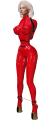
taut
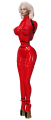
tight

hogtie

kneel


From this menu you can select different binding poses.


❓ HELP ❓ – Streams the help into the chat window.
❌ BACK ❌ – Move back to the previous menu.
⏏ EXIT ⏏ – Close the actual menu and release the menu access to anyone.
lock ✅ – Default position when the ponysuit is locked and the wrists are not bound.
back ✅ – Wrists are locked on the back and a strap pull them together.
binder ✅ – Wrists are forced into a tight armbinder.
clear ✅ – Clear all RLV restrictions set by this menu (✅=all RLV restrictions disabled).
far ❌ – Unable to touch/grab objects from more than 1.5 m away.
all ❌ – unable to touch/grab any object and attachment. This does not apply to HUDs.
world ❌ – Unable to touch/grab objects rezzed in-world, i.e. not attachments and HUDs.
attach ❌ – Unable to touch attachments (theirs and other avatars'), but this does not apply to HUDs.
other ❌ – Unable to touch other people's attachments (but can touch theirs own). This does not apply to HUDs.
hud ❌ – Unable to touch any HUDs.
intrct ❌ – Unable to touch any objects, attachments, or HUDs, cannot edit or rez, and cannot sit on objects.

back

binder


If you use the smart leash holder available from the [tools] button from leash menu, you can make the user following you when leashed even through TP. As soon as the distance between the leash holder and the wearer is greater than 2 times the leash distance a TP is send to the user. If the leash holder is not detected in the same region, a leash timeout is triggered after 300s and the user will be unleashed.

❓ HELP ❓ – Streams the help into the chat window.
❌ BACK ❌ – Move back to the previous menu.
⏏ EXIT ⏏ – Close the actual menu and release the menu access to anyone.
tools – Get the smart leash holder.
leash ✅ – Grab the leash in your hand (✅=leash to person active).
post ✅ – Leash to an object (✅=leash to post active).
length Ym – Sub-menu to select the leash length (Y=actual leash length).
unleash – Disconnect the leash from your hand or post.
yank – Yank the leash to make the user moving up to the leash target the distance is less than 1m.
type [Z] – Select leash type chain (c) or rope (r).
public ✅/❌ – When enabled, anyone can use the leash even if the public access is disabled. You can't rip the leash from someone already holding it!
NOTE: Leash feature is disabled if the nipples rings are hidden!

